

Managing a workforce efficiently has become one of the biggest challenges for modern businesses. Whether employees work in the office or on the field, managers need accurate information to understand how time is spent, how tasks are completed, and where productivity can be improved. Relying on assumptions or manual reports often results in delayed decisions and missed opportunities.
This is where workforce productivity analytics plays an important role. It converts everyday workforce data into meaningful insights that help businesses improve operational efficiency, reduce unnecessary costs, and make informed decisions. Instead of simply recording attendance, productivity analytics measures how employees perform, how efficiently they complete assigned work, and how business operations can be continuously improved.
For organisations managing field teams such as sales representatives, service engineers, delivery executives, healthcare workers, and survey staff, workforce productivity analytics provides complete visibility into daily activities. Managers no longer need to depend solely on end-of-day reports because real-time data offers a much clearer picture of workforce performance.
What Is Workforce Productivity Analytics?
Workforce productivity analytics is the process of collecting, measuring, and analysing employee performance data to understand how working hours are being utilised. It combines attendance records, task completion, customer visits, travel information, and productivity reports to provide a complete view of workforce performance.
The purpose of analytics is not simply to generate reports. Its real value comes from identifying performance trends, recognising operational challenges, and taking corrective action based on reliable information. Businesses that regularly review workforce data can improve employee productivity, optimise resource allocation, and deliver better customer service.
For companies with field employees, analytics removes much of the uncertainty associated with remote operations. Instead of relying on manual updates, managers gain accurate information about attendance, client visits, route history, and completed assignments, enabling better day-to-day management.
Why Workforce Productivity Analytics Matters
Business environments have changed significantly over the past few years. Rising fuel prices, increasing customer expectations, tighter operational budgets, and growing competition mean businesses must use their workforce more efficiently than ever before.
One of the biggest advantages of workforce productivity analytics is that it replaces assumptions with measurable facts. Managers no longer need to estimate whether employees are productive because performance can be evaluated using accurate operational data.
Analytics also improves accountability across the organisation. Employees understand that attendance, customer visits, and assigned tasks are being measured consistently, encouraging better time management and higher productivity.
Another important benefit is recognising high-performing employees. Instead of rewarding individuals based on personal observations alone, businesses can identify top performers using objective performance indicators. This creates a fairer working environment while motivating the entire workforce to improve.
Key Metrics Every Business Should Track
Tracking too many performance indicators often creates unnecessary complexity. Most businesses achieve better results by focusing on a few meaningful metrics that directly support operational goals.
Employee Utilisation Rate measures how much of an employee’s working day is spent on productive activities. A low utilisation rate may indicate scheduling problems, excessive idle time, or inefficient workforce planning.
Client Visits Per Day is particularly valuable for sales and service organisations. GPS-verified customer visits provide reliable information that helps managers measure employee performance and improve customer coverage.
Task Completion Rate shows how efficiently employees complete assigned work within planned deadlines. Consistently lower completion rates may highlight operational bottlenecks, training needs, or unrealistic scheduling.
Route Efficiency compares planned travel routes with actual employee movement. Better route planning reduces travel time, lowers fuel costs, and enables employees to complete more customer visits during the working day.
GPS-Verified Attendance provides accurate attendance records by confirming employee presence at authorised work locations. Reliable attendance data improves payroll accuracy while creating a dependable foundation for all workforce productivity reports.
How to Use Workforce Productivity Analytics Effectively
Successful implementation begins by defining a clear business objective. Businesses should identify whether they want to reduce idle time, improve attendance, increase customer visits, lower travel costs, or complete more tasks each day. A focused objective ensures that analytics remains practical and aligned with operational priorities.
The next step is establishing a performance baseline. Instead of making immediate changes after implementing a productivity tracking system, businesses should observe workforce performance for several weeks. This baseline helps managers understand normal productivity levels and identify areas that genuinely require improvement.
Regular review of workforce data is equally important. Weekly performance reviews allow managers to identify emerging trends early and respond before small issues become major operational problems. Reviewing reports consistently also helps evaluate whether previous improvements have delivered measurable results.
Managers should focus on recurring patterns instead of isolated incidents. A single delayed customer visit or missed task does not necessarily indicate poor performance. However, repeated attendance issues, declining productivity, or inefficient travel routes often highlight larger operational challenges that require attention.
Finally, analytics should always support communication rather than replace it. Data explains what happened, but conversations with employees help managers understand why it happened. Combining performance reports with constructive discussions leads to better solutions while maintaining employee trust and engagement.
How AI Is Changing Workforce Productivity Analytics
Artificial intelligence is making workforce productivity analytics faster, smarter, and more predictive. Traditional reporting focuses on historical information, while AI analyses workforce behaviour to identify patterns and recommend improvements before problems affect business performance.
AI-powered route optimisation helps field employees reduce travel time and complete more customer visits. Predictive analytics can identify declining attendance, unusual productivity patterns, or increased idle time before these issues become serious operational concerns.
Real-time alerts are another significant advantage. AI systems can automatically notify managers about unexpected route deviations, unusually long customer visits, or extended inactive periods, allowing immediate corrective action. These capabilities help businesses improve workforce efficiency while reducing operational costs.
Common Mistakes Businesses Should Avoid
Many organisations invest in workforce analytics software but fail to use it effectively. One common mistake is tracking too many metrics at once. Monitoring a smaller number of meaningful KPIs usually produces clearer insights and simplifies decision-making.
Another mistake is using productivity data only to identify underperformance. Analytics should also recognise employees who consistently achieve excellent results, creating a more balanced and motivating work environment.
Businesses should also avoid reacting to isolated incidents instead of analysing long-term trends. Consistent performance patterns provide a much more reliable basis for operational decisions than individual events.
Finally, organisations should communicate openly with employees about how productivity data will be collected and used. Transparency builds trust, improves system acceptance, and encourages employees to view analytics as a tool for improvement rather than unnecessary monitoring.
How Sahaj GPS Helps
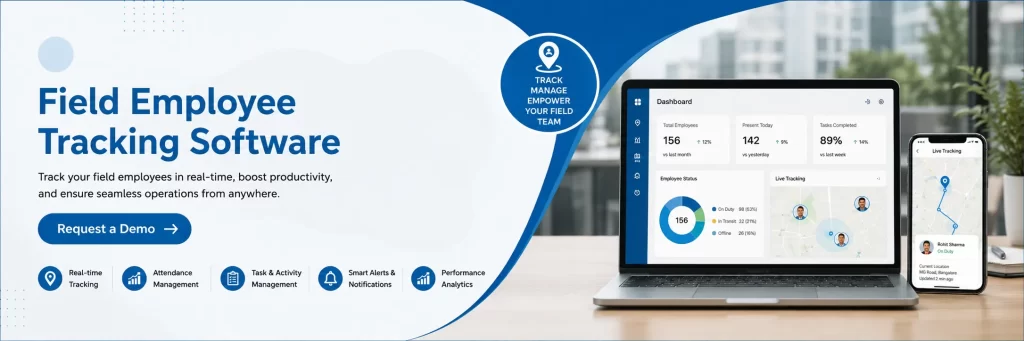
Managing a mobile workforce becomes much easier when businesses have access to accurate operational data. Sahaj GPS provides GPS-based attendance, geo-fencing, employee tracking, route history, task monitoring, customer visit verification, and detailed workforce reports through a single platform.
These features give managers real-time visibility into field operations, reduce manual reporting, improve accountability, and support faster business decisions based on accurate workforce insights.
Conclusion
Workforce productivity analytics has become an essential business tool for organisations that want to improve operational efficiency and workforce performance. By analysing attendance, productivity, customer visits, task completion, and travel patterns, businesses can identify opportunities for improvement while making more informed decisions.
When combined with regular performance reviews, clear communication, and modern technologies such as AI and GPS tracking, workforce productivity analytics helps organisations build a more productive, accountable, and efficient workforce. Businesses that consistently use data to guide operational decisions will be better positioned to improve customer service, reduce costs, and achieve sustainable long-term growth.
Frequently Asked Questions
What is workforce productivity analytics?
Workforce productivity analytics is the process of analysing employee performance data, attendance, task completion, and work patterns to improve operational efficiency and business productivity.
Which industries benefit most from workforce productivity analytics?
Industries such as logistics, healthcare, construction, field sales, delivery services, telecommunications, and maintenance services benefit significantly because they manage mobile or field-based employees.
How often should workforce productivity reports be reviewed?
Weekly reviews are generally recommended as they help managers identify trends early and make timely operational improvements.
Why is GPS verification important in workforce analytics?
GPS verification improves attendance accuracy, confirms employee locations, reduces false reporting, and provides reliable data for productivity analysis.
Can workforce productivity analytics improve business performance?
Yes. By identifying inefficiencies, improving workforce planning, optimising routes, and supporting better decision-making, workforce productivity analytics helps businesses increase productivity, reduce costs, and enhance customer satisfaction.