
Managing remote employees is no longer just about checking attendance or receiving end-of-day updates. Whether employees are working from home, visiting clients, or handling field operations, businesses need better visibility into daily activities without creating unnecessary complexity.
When managers lack accurate information about employee locations, task progress, or working hours, even small operational gaps can gradually affect productivity, customer service, and overall business performance.
A well-planned remote employee monitoring system helps businesses create transparency while supporting employees with better coordination and communication.
Instead of relying on manual reports or constant follow-up calls, managers can access real-time information that enables faster decisions, improved accountability, and more efficient workforce management. The key is to monitor work in a way that improves operations while maintaining employee trust.
Understand What You Need to Monitor
Before implementing any employee monitoring solution, businesses should first identify the operational challenges they want to solve. Every organisation has different priorities, and monitoring should always support business objectives rather than simply collecting employee data.
Ask questions such as whether you need to improve attendance accuracy, verify client visits, monitor task completion, reduce travel inefficiencies, or strengthen communication between managers and remote employees. Defining these goals from the beginning helps businesses choose the right tools while avoiding unnecessary features that add complexity without improving results.
Choose the Right Monitoring Method for Different Teams
Not every remote employee performs the same type of work. A field sales executive, delivery associate, service engineer, and work-from-home employee all require different monitoring approaches. Selecting the right method for each role improves efficiency while creating a fair and practical monitoring system.
Field Sales and Service Teams
Employees who regularly visit customers or project sites benefit from monitoring features that focus on mobility and task execution. Live GPS tracking, geo-fenced attendance, client visit verification, digital task management, and route history provide managers with complete visibility into field operations. These features help businesses monitor productivity while ensuring customer visits are completed as planned.
Delivery and Logistics Teams
For logistics businesses, monitoring should focus on delivery efficiency, vehicle movement, and timely order completion. Real-time GPS tracking, route monitoring, delivery confirmation, idle time reports, and speed alerts help managers optimise fleet operations while reducing fuel costs and improving customer satisfaction.
Remote Office Employees
Employees working from home require a different set of monitoring tools. Instead of location tracking throughout the day, businesses should focus on attendance management, work-hour tracking, project progress, collaboration, and task completion. Monitoring productivity rather than constant activity creates a healthier remote working environment while ensuring business objectives are achieved.
Set Up Geo-Fenced Attendance
Geo-fenced attendance provides one of the most effective ways to verify attendance for employees working outside a traditional office environment. Rather than allowing attendance from any location, businesses can define approved work zones where employees are authorised to check in. This improves attendance accuracy while reducing location-based discrepancies.
Define Approved Work Locations
The first step is to create geo-fences around offices, customer locations, warehouses, construction sites, or any authorised workplace. Once these virtual boundaries are configured, employees can only mark attendance after entering the approved location. This helps businesses ensure that attendance records accurately reflect actual field activity.
Configure Attendance Rules
Attendance settings should include approved working hours, check-in windows, shift timings, and location-specific policies that match daily business operations. Properly configured attendance rules create consistency across teams while preventing attendance from being recorded outside authorised schedules.
Add Identity Verification
Combining face recognition with GPS verification adds another layer of security to the attendance process. The system verifies both the employee’s identity and location before recording attendance, making proxy check-ins or unauthorised attendance significantly more difficult while improving the accuracy of workforce records.
Implement Real-Time Location Tracking
Location tracking provides managers with valuable operational visibility throughout the workday. Instead of relying on repeated phone calls or manual updates, businesses can monitor employee movement in real time and respond quickly whenever schedules change or urgent tasks arise.
Track Only During Working Hours
Employee privacy should always remain a priority. GPS tracking should automatically activate at the beginning of working hours and stop once the employee’s shift ends. Restricting tracking to official work hours helps businesses maintain transparency while respecting employees’ personal time.
Focus on Operational Efficiency
The objective of location tracking is not to monitor every movement but to improve coordination, verify field activities, and optimise workforce planning. When used correctly, location data helps managers allocate resources more effectively, reduce delays, and improve customer service without creating unnecessary pressure on employees.
Limit Access to Location Data
Sensitive employee location information should only be available to authorised managers who are directly responsible for workforce management. Role-based access improves data security while ensuring that monitoring information is used solely for legitimate business purposes.
Assign and Track Tasks Digitally
Knowing where employees are is only part of effective remote workforce management. Businesses also need complete visibility into the work being performed throughout the day. Digital task management enables managers to assign responsibilities, monitor progress, and verify task completion from a central dashboard without relying on manual reporting.
Create Detailed Task Assignments
Each task should include complete information such as the client name, work location, expected outcome, priority level, instructions, and estimated completion time. Providing employees with clear task details reduces confusion, improves planning, and helps work progress more smoothly.
Monitor Task Progress in Real Time
Employees can update task status as work moves from assignment to completion, allowing managers to identify delays immediately and adjust schedules whenever necessary. Real-time updates improve coordination while reducing unnecessary follow-up communication.
Verify Completed Work
Proof of completion through photographs, digital forms, customer signatures, or GPS-tagged submissions provides businesses with reliable confirmation that assigned work has been completed successfully. This additional verification strengthens accountability while maintaining accurate records of field activities.
Monitor Productivity Patterns Instead of Individual Activities
Effective remote employee monitoring focuses on long-term performance rather than constantly observing every action. Looking at productivity trends over days and weeks gives managers a much clearer understanding of how employees are performing and where operational improvements are needed.
By analysing task completion rates, attendance records, response times, travel history, and work efficiency, businesses can identify recurring challenges before they begin affecting productivity. This approach supports better decision-making while creating a healthier and more balanced work environment.
Review Performance Regularly
Daily monitoring is useful for identifying urgent issues such as missed attendance or delayed tasks, but broader performance should be reviewed through weekly and monthly reports. Regular evaluations help managers understand employee consistency, workload distribution, and overall operational efficiency without relying on assumptions.
Identify Areas That Need Improvement
Performance reports often reveal opportunities that are not immediately visible during day-to-day operations. Businesses can identify recurring delays, excessive travel, low task completion rates, or inefficient scheduling, allowing managers to improve processes instead of reacting only after problems become serious.
Communicate the Monitoring Process Clearly
Introducing a remote employee monitoring system without proper communication can create unnecessary concerns among employees. Being transparent about how the system works helps employees understand that monitoring is designed to improve operations rather than create constant supervision.
Managers should clearly explain what information will be collected, why it is needed, and how it will be used. Open communication builds trust, encourages employee acceptance, and makes the transition to a digital monitoring system much smoother.
Explain What Will Be Monitored
Employees should understand that the system records information such as attendance, work locations, assigned tasks, travel history, and productivity during working hours. Providing this clarity removes uncertainty and helps employees feel more comfortable with the process.
Respect Employee Privacy
Monitoring should always remain limited to official working hours and business-related activities. Employees should know that their personal time, private conversations, and activities outside work are not being monitored. Respecting these boundaries creates a professional balance between accountability and privacy.
Use Data to Improve Performance
The real value of employee monitoring lies in using collected information to improve operations rather than simply identifying mistakes. Data helps managers recognise high-performing employees, optimise workloads, improve scheduling, and provide meaningful support wherever required.
When conversations are based on objective performance data instead of assumptions, managers can coach employees more effectively while creating opportunities for continuous improvement.
Recognise Good Performance
Monitoring software highlights employees who consistently complete tasks on time, maintain accurate attendance, and perform efficiently. Recognising these achievements encourages positive work habits while motivating the entire team to maintain high performance standards.
Improve Business Processes
Sometimes monitoring data highlights operational issues rather than employee performance. Repeated delays may indicate unrealistic schedules, heavy workloads, or inefficient planning instead of poor employee productivity. Analysing this information allows businesses to improve processes while creating a more efficient work environment.
Review and Improve the System Regularly
Remote employee monitoring should continue evolving as business requirements change. Reviewing system performance after implementation helps businesses identify additional improvements that support long-term operational success.
Conducting regular reviews allows managers to evaluate attendance policies, reporting accuracy, task management processes, and monitoring settings to ensure the system continues meeting organisational goals.
How Sahaj GPS Simplifies Remote Employee Monitoring
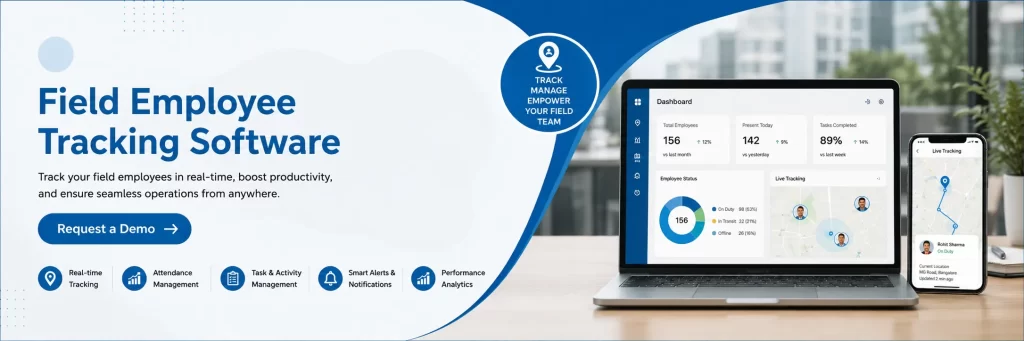
Managing remote teams becomes significantly easier when all workforce management activities are available through a single platform. Sahaj GPS provides an integrated solution that combines GPS-based attendance, live employee tracking, geo-fenced check-ins, face recognition, task management, proof of visit, automated reporting, and workforce analytics.
Designed to support Indian businesses across multiple industries, Sahaj GPS helps organisations improve workforce visibility, strengthen accountability, simplify attendance management, and make faster operational decisions while maintaining a seamless experience for both managers and field employees.
Final Thoughts
Managing remote employees successfully requires more than simply knowing where people are working. Businesses need accurate information that helps improve productivity, streamline communication, optimise workflows, and make better management decisions. A structured monitoring system creates greater transparency while enabling employees to perform their responsibilities more efficiently.
By combining attendance management, location tracking, task monitoring, and performance reporting within a single platform, businesses can build a more organised and productive remote workforce. Investing in a reliable solution such as Sahaj GPS helps organisations improve operational efficiency, strengthen employee accountability, and support sustainable business growth.
Frequently Asked Questions
How can businesses monitor remote employees effectively?
Businesses can monitor remote employees by combining attendance management, GPS tracking where appropriate, task monitoring, productivity reports, and regular performance reviews. The focus should always remain on improving operational efficiency rather than excessive supervision.
Is remote employee monitoring suitable for every business?
Yes. Organisations with field employees, hybrid teams, work-from-home staff, or multiple office locations can all benefit from a structured monitoring system that improves visibility and accountability.
How often should employee performance be reviewed?
Daily monitoring can help identify urgent operational issues, while weekly and monthly performance reviews provide a more accurate understanding of employee productivity, workload, and long-term performance trends.
Does employee monitoring affect workplace trust?
When implemented transparently and limited to work-related activities, employee monitoring can improve communication and accountability without reducing trust. Clearly explaining the purpose of monitoring helps employees understand its role in improving business operations.
What metrics should Indian businesses track for remote employees?
Businesses should track metrics such as task completion rates, project deadlines, attendance, response times, collaboration levels, and overall productivity. Monitoring outcome-based performance instead of micromanaging daily activities is more effective for remote teams in 2026.