
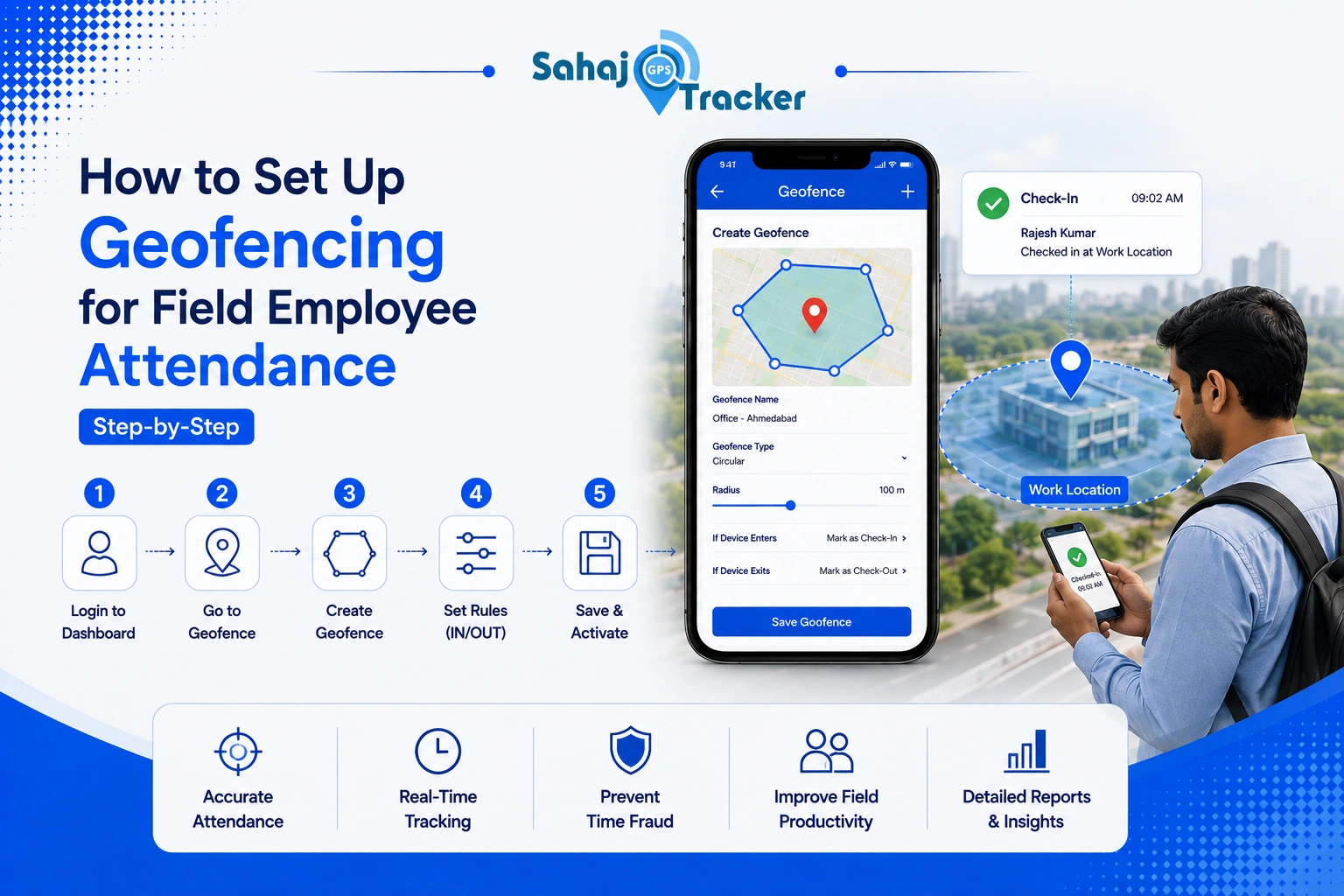
Managing a field workforce isn’t always straightforward. One employee starts the day at a client site, another visits three different locations before lunch, while someone else travels between cities for customer meetings. Keeping attendance accurate in situations like these can become frustrating, especially when businesses still depend on manual check-ins or phone calls.
That’s one reason geofencing for field employee attendance is becoming increasingly popular across industries. Instead of asking employees to explain where they are, companies can automatically verify attendance based on their actual work location, making daily operations far more organised.
Geofencing for Field Employee Attendance: Understanding the Basics
Before setting up anything, it’s worth understanding how geofencing actually works. The concept is surprisingly simple. A virtual boundary is created around a workplace, customer office, warehouse, project site, or any approved work location. Whenever an employee carrying the authorised mobile device enters or exits that boundary, the system records the activity automatically.
Unlike traditional attendance methods, employees don’t need to search for biometric devices or sign paper registers. Their attendance is verified based on location, reducing manual work while improving accuracy. Businesses managing sales teams, service engineers, delivery executives, healthcare representatives, and field technicians often find this approach much more practical because employees rarely report to the same office every morning.
Why Businesses Are Moving Beyond Manual Attendance
Manual attendance systems usually work well inside a fixed office. Once employees begin travelling regularly, things become much more complicated. Supervisors often receive attendance updates through messages, phone calls, or spreadsheets that are completed hours later. Sometimes locations are entered incorrectly. Sometimes employees simply forget.
These small errors create larger administrative problems over time. Payroll becomes harder to verify, customer visit records become inconsistent, and managers spend valuable time checking information instead of focusing on operations.
A reliable employee attendance tracking system removes most of these issues by recording attendance automatically whenever employees reach approved work locations. Instead of depending on manual reporting, businesses receive accurate records supported by actual location data.
Step 1: Identify Your Field Work Locations
Every successful geofencing setup begins with planning. Before creating virtual boundaries, businesses should identify all locations where employees regularly perform official work.
For some organisations, this may include warehouses, branch offices, factories, and service centres. Others may need customer offices, hospitals, construction sites, retail stores, or industrial facilities added as approved attendance locations.
Creating an organised location list first helps avoid confusion later. It also ensures employees know exactly where attendance can be recorded, reducing unnecessary disputes during payroll processing.
Step 2: Define the Right Geofence Radius
One common mistake businesses make is creating boundaries that are either too large or too small.
If the radius covers an entire neighbourhood, attendance may be recorded before employees actually reach the workplace. On the other hand, an extremely small boundary may fail to recognise employees because of normal GPS variations or nearby buildings.
Finding the right balance usually depends on the work environment. Open industrial sites may allow slightly larger boundaries, while office buildings often require more precise settings. Testing each location before full deployment helps improve long-term accuracy.
Many organisations implementing Sahaj GPS spend time testing different geofence sizes before rolling out the system company-wide. That small effort usually prevents unnecessary attendance issues later.
Step 3: Configure Employee Profiles
Once work locations have been created, the next step is assigning employees to the appropriate geofenced areas.
Field engineers, sales executives, maintenance technicians, healthcare representatives, and delivery staff often work across different territories. Their assigned attendance locations should reflect their actual responsibilities rather than using identical settings for everyone.
Proper employee mapping ensures attendance records remain accurate while giving managers better visibility into workforce deployment across different projects and customer locations.
Step 4: Activate the Employee Location Tracking System
With geofences configured, businesses can activate the employee location tracking system for authorised field employees. This allows attendance to be recorded whenever staff members enter or leave approved work areas during working hours.
The purpose isn’t to monitor employees every minute of the day. Instead, the system confirms that work begins and ends at legitimate business locations. Most employees appreciate this because it removes the need for repeated attendance calls, manual check-ins, or paperwork at every customer visit.
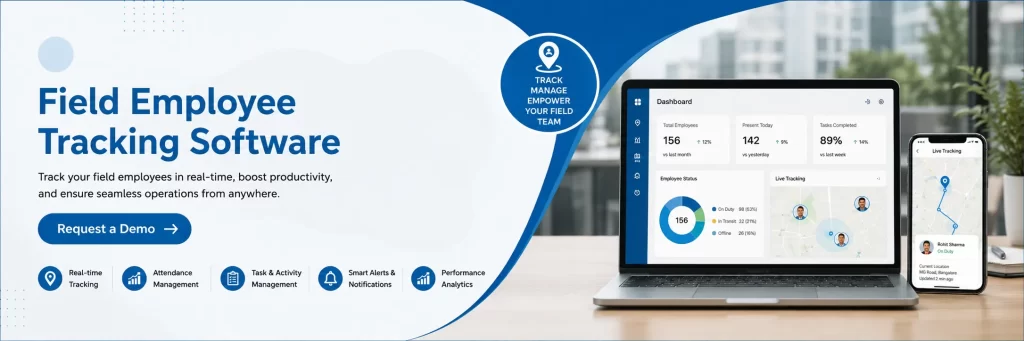
When businesses combine attendance automation with live employee tracking system features, managers gain a much clearer understanding of field operations without interrupting employees during customer meetings or service visits.
Step 5: Test Before Full Deployment
Rolling out any new attendance process across the entire organisation immediately isn’t always the best idea. A short testing phase usually identifies small issues that would otherwise affect daily operations.
Choose a limited group of employees working across different locations and monitor how attendance is recorded over several days. Check whether geofence boundaries are accurate, GPS signals remain consistent, and attendance reports match actual field activities.
Most businesses discover minor adjustments during testing, such as slightly increasing a geofence radius or updating customer site locations. Making these improvements early creates a smoother experience when the system is introduced across the full workforce.
Companies using Sahaj GPS often find that this testing stage makes employee adoption much easier because attendance works reliably from the very beginning.
Step 6: Connect Attendance with Daily Operations
Attendance data becomes much more useful when it works alongside other business processes. Instead of existing as a separate record, attendance can support payroll preparation, customer visit verification, project reporting, and even expense management software.
Think about a field executive who travels to three client locations in one day. The attendance system confirms arrival at each approved location, while travel details and business expenses can be reviewed alongside those visits. Managers no longer need to compare multiple spreadsheets or manually verify travel claims because much of the information is already connected through one organised system.
For organisations managing large field teams across Ahmedabad, Surat, Vadodara, and other parts of Gujarat, this integration saves a surprising amount of administrative time every month.
Step 7: Review Reports and Improve Over Time
Setting up geofencing isn’t the final step. It’s the beginning of a better attendance process.
Once the system has been running for a few weeks, businesses should regularly review attendance reports, missed check-ins, employee movement, and location accuracy. These reports often highlight useful patterns. Maybe one customer site needs a slightly larger geofence because of poor GPS coverage. Perhaps a project location should be added because employees visit it frequently.
Small adjustments like these improve overall accuracy without changing the entire attendance process. Reviewing reports regularly also helps managers understand workforce deployment, identify attendance trends, and make better operational decisions using real field data rather than assumptions.
Many growing organisations choose Sahaj GPS because reporting remains simple, making it easier for managers to analyse attendance without spending hours preparing manual records.
Common Mistakes to Avoid During Geofencing Setup
Even a good attendance system can create problems if it’s configured incorrectly. One of the most common mistakes is creating the same geofence size for every location. A warehouse, hospital, office building, and construction site all have different layouts, so each location should be configured individually.
Another mistake is skipping employee training. Although geofencing is easy to use, employees should still understand how attendance is recorded, which locations are approved, and what happens if GPS permissions are turned off.
Businesses should also avoid relying entirely on technology without periodically reviewing attendance reports. Regular checks help identify unusual activity, location changes, or operational improvements that can make the system even more effective.
Why Geofencing Works Better Than Traditional Attendance
Traditional attendance systems were designed for employees who reported to the same office every day. Today’s workforce looks very different. Sales executives, technicians, healthcare professionals, maintenance engineers, and service teams spend most of their working hours outside the office.
Geofencing fits naturally into this environment because attendance follows employees wherever official work takes place. Instead of travelling back to an office simply to mark attendance, employees can begin work directly from customer locations while businesses still receive accurate attendance records.
This not only saves time but also improves productivity because employees spend more time serving customers instead of completing administrative tasks.
A Smarter Way to Manage Field Attendance
Field operations continue evolving, and attendance management has evolved alongside them. Businesses no longer need to depend on paper registers, phone calls, or manual spreadsheets to confirm where employees started their workday. Geofencing provides a practical solution that balances accuracy, convenience, and transparency.
Whether managing pharmaceutical representatives, delivery executives, sales teams, maintenance engineers, or service technicians, location-based attendance helps simplify daily operations while reducing administrative workload.
Organisations using Sahaj GPS are finding that accurate attendance, better workforce visibility, and organised reporting make managing field teams much easier than traditional methods ever could. Once businesses experience automated attendance supported by geofencing, returning to manual processes rarely feels like the right choice.
FAQs
1. What is geofencing for field employee attendance?
Geofencing for field employee attendance creates virtual boundaries around approved work locations. When employees enter or leave these areas, attendance is recorded automatically using GPS location data.
2. How does employee attendance tracking improve field operations?
Employee attendance tracking reduces manual check-ins, improves attendance accuracy, simplifies payroll verification, and helps managers monitor workforce activities without interrupting employees during customer visits.
3. Why is an employee location tracking system important?
An employee location tracking system verifies attendance from approved work locations, improves workforce visibility, supports field operations, and helps businesses maintain accurate attendance records.
4. Can geofencing work with expense management software?
Yes. Many businesses integrate attendance with expense management software, allowing travel records, customer visits, attendance, and expense claims to be managed together for better operational efficiency.
5. What are the benefits of a live employee tracking system?
A live employee tracking system provides real-time workforce visibility, faster dispatch decisions, improved attendance accuracy, better customer service, and more organised field operations for businesses managing mobile employees.