
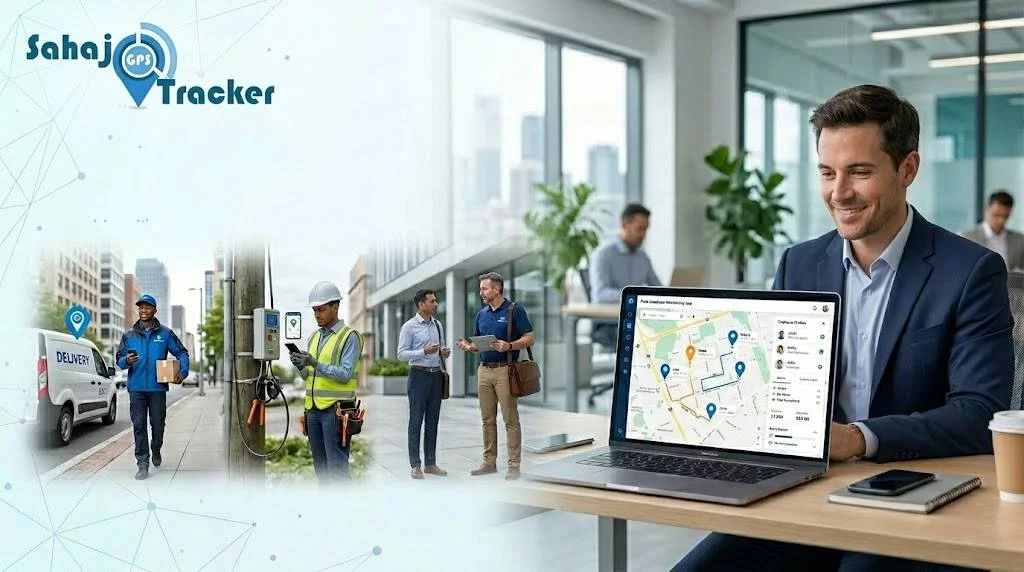
Managing a field team is one of the most challenging aspects of running a modern business. Unlike employees in offices who are physically present at one location, employees in the field like sales reps, service technicians, delivery personnel, and healthcare workers are scattered across different locations throughout the day. Without proper tools in place, it is a daily struggle to keep track of their activities, productivity, and attendance . That’s exactly where a field employee monitoring app steps in and changes everything, technology to get real-time insights into their field staff’s activities. And the results have been phenomenal fewer manual follow-ups, better accountability, faster task completion, and significantly improved productivity.
But how exactly does an employee monitoring app work? What features matter most? And how do you get started? This blog answers all of that — in simple, practical terms.
What Is a Field Employee Monitoring App?
A field employee monitoring app is a mobile and web-based software solution that allows businesses to track, manage, and monitor their field staff in real time using GPS technology. It gives managers a live view of where every field employee is, what task they’re working on, whether they’ve checked in at the right location, and how their day is progressing — all from a single dashboard.
Think of it as a complete command center for your field operations. Instead of relying on phone calls, WhatsApp messages, or end-of-day reports that may or may not be accurate, managers get live, verified data that reflects exactly what is happening on the ground — at any given moment.
How Does a Field Employee Monitoring App Work?
The working of a field employee Monitoring app is straightforward. Here’s how it typically functions:
Step 1 — Employee Installs the App: The employees install the app on their smartphone. Once they log in and start their shift, the app starts tracking their location using GPS technology.
Step 2 — Live Location is Shared: The live location of the employees is shared with their managers. The managers can view all their employees in real-time on a live map. Managers can see where their employees are, where they’ve been, and how far they’ve traveled.
Step 3 — Tasks Are Assigned and Tracked: Managers assign tasks through the platform. Employees receive notifications, complete tasks, and update their status — all digitally. No more paper forms or verbal confirmations.
Step 4 — Attendance and Visits Are Verified: The app records check-in and check-out with location proof, timestamp, and in some systems, photo or OTP verification — ensuring every client visit is genuine and documented.
Step 5 — Reports Are Generated Automatically: At the end of the day or week, managers receive detailed reports on attendance, tasks completed, distance travelled, and overall team performance — without spending hours compiling data manually.
Key Features to Look for in a Monitoring App
All monitoring apps are not created equal. Here are the features that make a real difference:
Live Employee Tracking: Real-time GPS location updates of all field staff visible on a single map — the core feature of any reliable field employee monitoring app.
Geo-Fencing: Specify the approved work zones and receive alerts when an employee checks in or out of work outside the approved zone — preventing bogus visits.
Digital Attendance Management: Employees check-in to work using a mobile app with proof of location, face recognition, or OTP. No more fake check-ins!
Task Assignment and Monitoring: Assign tasks remotely, track progress in real time, and receive completion updates — all without a single phone call.
Expense Management: Employees submit expenses like fuel, food, etc. Get instant approvals. No more waiting for days for approvals!
Proof of Visit: Employees upload photos or collect signatures as proof of client visits — building accountability and trust with clients.
Automated Reports: Daily, weekly, or monthly performance reports generated automatically — saving managers hours of manual reporting work.
How Live Employee Tracking Improves Business Operations
Live Employee Tracking is the core of a field employee monitoring app, and its effect on day-to-day operations is substantial.
When managers can see the location of every field employee on a live map, they can make smarter, speedier decisions. Need to schedule a critical customer visit? Assign the task to the nearest employee instantly. Worried about a delay?
Employee tracking software can reduce idle time by a significant amount. Employees will be more focused when they realize their movements are tracked. They will follow their route plans, which means they will complete their jobs on time. That alone can boost day-to-day productivity by a significant amount.
Beyond productivity, live tracking also improves safety. In case of an emergency, managers can immediately see where an employee is and dispatch help quickly — particularly valuable for healthcare workers, service technicians, and delivery staff operating in unfamiliar areas.
Industries That Benefit Most from Employee Location Tracking System
An employee location tracking system is not limited to one type of business. Across India, multiple industries are seeing real results:
Sales Teams: Monitor client visits, track order placements, and verify that sales reps are meeting the right customers at the right time.
Delivery Companies: Track delivery agents live, optimize routes, and get digital proof of every successful delivery.
Healthcare & Pharma: Ensure medical representatives visit the right hospitals and clinics — with time-stamped, geo-verified records.
Service & Maintenance: Assign the nearest technician to a job, track service completion, and collect customer signatures digitally.
Survey Teams: Monitor field surveyors across remote locations, collect digital data, and replace paper-based reporting entirely.
Construction: Track workers and supervisors across multiple project sites to ensure attendance accuracy and on-site accountability. Explore how field tracking software works specifically for delivery operations.
How to Get Started with Field Employee Tracking Software
Getting started with a field employee tracking software is simpler than most businesses expect. Here’s a quick roadmap:
Step 1: Identify your needs — attendance tracking, live location, task management, or all of the above.
Step 2: Choose a platform that offers all features under one dashboard with a mobile app for employees and a web dashboard for managers.
Step 3: Get started: install the app for employees and configure the web interface for managers..
Step 4: Try it first: most solutions come with a free trial period.
Step 5: Use the reports to analyze and optimize routes, task allocation, and overall business efficiency
Conclusion
A field employee monitoring app is not a luxury for large enterprises anymore; it is a necessity for any business with a field workforce. Whether it’s 5 or 500 employees, the need to view your team’s location in real time, verify employee visits, manage employee attendance, and receive automated performance reports is a game-changer for any business.
The change from manual tracking and assumptions to data-driven, GPS-enabled workforce management is perhaps the biggest decision any business can make. It not only saves time and costs but also provides managers with the insights they need to manage their workforce efficiently.