
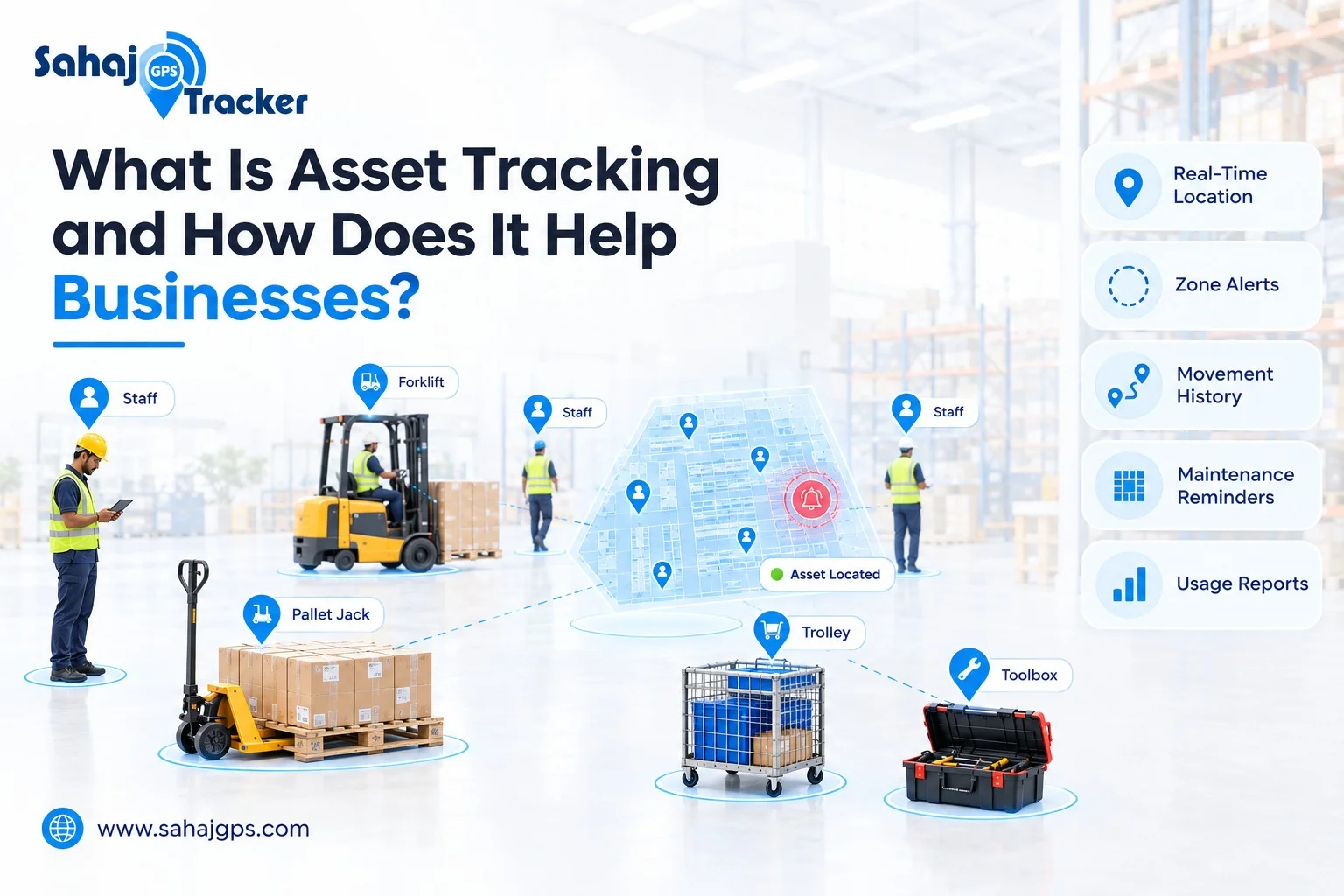
Every warehouse and factory runs on equipment that keeps moving: trolleys, pallet jacks, tools, containers. Indoor asset tracking is how you always know where they are.
A shift supervisor needs a pallet jack. Section A says it went to loading. Loading says it’s in storage. Storage hasn’t seen it since morning. Forty minutes later, someone finds it parked behind a rack in a corridor nobody uses, and two trucks are already waiting.
Nothing was stolen. Nothing broke. The company just didn’t know where its own equipment was.
That’s the problem asset tracking solves. And inside a big building, it happens more often than most owners admit.
What Is Asset Tracking?
Asset tracking means knowing where your physical assets are, what state they’re in and who is using them. Simple idea.
An “asset” is anything your business owns that has real value and gets used over time: forklifts, pallet jacks, trolleys, machinery, tools, testing instruments, containers, laptops, hospital equipment. Things you’d be annoyed to lose and pay good money to replace.
One distinction people often mix up. Inventory is what you sell or consume, like the goods on your shelves. Assets are what you use to run the business, like the pallet jack that moves those goods. Asset tracking is about the second group.
You’ll also hear “asset management.” That’s the bigger job of looking after assets through their whole life: buying, maintaining, replacing. Tracking is the first step, and honestly the one that makes the rest possible.
What Gets Tracked Inside a Warehouse or Factory?
It’s not only equipment. Indoors, there are really two things worth tracking.
Assets
- Forklifts and pallet jacks
- Trolleys, carts and roll cages
- Pallets, crates and containers
- Tools and testing instruments
- Machinery that gets moved or shared between lines
People
- Where staff are working across the floor
- Who is inside restricted or high-risk areas
- How quickly someone can be found in an emergency
The common thread is that they all move around, they’re shared between teams and they’re surprisingly easy to lose in a large space.
Why GPS Alone Doesn’t Work Inside
Most people think of tracking as GPS. And GPS is great outdoors. But inside a large building, with metal racks, concrete walls and a roof overhead, the signal often loses accuracy.
So indoor tracking works differently. Instead of satellites, it uses things like Bluetooth tags, Wi-Fi, RFID and small sensors placed around the building.
The setup is basically three parts:
- A tag or sensor on the asset, or on an ID badge for staff.
- Receivers placed around the facility that pick up those signals.
- Software that turns the signals into a live map, alerts and reports.
| Method | How it works | Good for |
| BLE (Bluetooth Low Energy) | Small tags send signals that receivers pick up | Tools, trolleys, equipment, staff badges |
| Wi-Fi | Uses your existing network to estimate location | Large sites that already have good coverage |
| RFID | Tags are read when they pass a reader | Pallets, containers, items passing fixed points |
| IoT sensors | Sensors report location, movement or condition | Machinery and high-value equipment |
| Barcode or QR scanning | Someone scans a code by hand | Assets checked occasionally |
Which one fits depends on your building and what you’re tracking. Many sites end up combining a couple of them. We’ve covered how this plays out in practice in our guide on finding tools, trolleys and equipment inside large facilities.
How Asset Tracking Helps Businesses
Let’s keep this practical. These are the benefits teams actually notice.
1. Far less time spent searching
This is the first thing people feel. When you can open a screen and see exactly where something is, the “has anyone seen the…?” messages stop. Those hunts cost more than they look, because the person searching isn’t working, and often the person waiting isn’t either.
2. Fewer lost and misplaced items
Items rarely vanish. They get moved, borrowed and forgotten. A live location and a movement history mean something that has been moved can be found in minutes, not hours.
3. Better use of equipment you already own
Here’s one that surprises owners. Sometimes you don’t have too few trolleys or tools. Half of them are sitting idle in one corner while another section is short. When you can see how each asset is actually used, you can share them better and stop buying extras “just in case.”
4. Safer floors and controlled areas
You can draw zones inside the building, such as a restricted area, a high-value storage section or a hazardous zone, and get an alert when a person or asset enters or leaves it. That’s useful for security, and for making sure only the right people are in the right places.
5. Clear records for audits
Who had it last? When did it move? With activity history, those questions have answers. That helps with audits, compliance checks and the occasional argument about who left something where.
6. A smarter layout
Movement data shows how a space is really used. Heatmaps reveal busy routes, bottlenecks and corners nobody visits. Plenty of facilities discover that a small layout change saves more walking time than any new equipment.
What About Tracking Employees?
This is the part that makes people hesitate, so let’s be honest about it.
Inside a warehouse or factory, tracking staff is mostly about safety and efficiency, not watching individuals. Knowing who is in a restricted zone, finding a colleague quickly when you need them, and seeing where congestion builds up are the typical uses.
Handled badly, it feels like surveillance. Handled well, it doesn’t. A few things help:
- Tell your team what is tracked and why
- Track work areas only, during working hours
- Limit who can see the data through role-based access
- Use the information to fix processes, not to single people out
If part of your workforce works outside the building, such as sales, service or delivery staff, they need a different kind of tool. That’s what field employee tracking is for.
Which Businesses Benefit Most?
Any facility with lots of movable equipment and enough floor space to lose things in:
- Warehouses and logistics hubs: pallet jacks, forklifts, roll cages, containers
- Factories: tools, machinery, materials-handling equipment
- Hospitals: portable medical equipment that must be found quickly
- Retail stores: stock-handling equipment and devices
- Large offices and campuses: shared devices and equipment
Signs You’ve Outgrown the Spreadsheet
Most businesses start with a register or an Excel sheet. That’s fine until it isn’t. Watch for these:
- People regularly ask, “where is the…?”
- You’ve bought a replacement for something that turned up later
- Equipment sits idle in one area while another is short
- You can’t say who last used a specific tool
- Your asset list is out of date the day after you update it
- Nobody is sure who is inside certain restricted areas
If three or more feel familiar, it’s time.
What to Look for in Indoor Asset Tracking Software
Skip the feature wars. A few basics matter more:
- A method that suits your building, such as BLE, Wi-Fi, RFID or sensors, or a mix
- Real-time location for both assets and people
- Zone alerts for entry and exit
- Movement history you can use for audits
- Heatmaps and dashboards that are easy to read
- Role-based access, so only the right people see the right data
- Compatibility with devices you already have
- Simple setup your team will actually adopt
How to Get Started Without Overdoing It
You don’t need to tag everything on day one.
Start with the assets you lose most often or that cost the most. Pallet jacks, specialist tools and expensive equipment are usual suspects.
Pick one area to pilot, such as one warehouse section or one production floor. Learn what works.
Then expand. Once the team trusts the data, adding more assets and areas is the easy part.
How SAHAJ GPS Helps With Indoor Asset Tracking
SAHAJ GPS Indoor Tracking Software is built for places where GPS doesn’t reach. It uses BLE, Wi-Fi, RFID and smart IoT sensors to track people, tools and equipment across factories, warehouses, hospitals, retail stores and offices.
With it, you can:
- See the real-time location of assets and staff on a single dashboard
- Create zones and get alerts when someone or something enters or leaves
- Review activity history for audits and reporting
- Use heatmaps to understand space usage and busy routes
- Control access with role-based permissions
- Connect existing devices and sensors, so you don’t start from scratch
Different assets, same idea: know where things are, so nobody has to go looking.
Frequently Asked Questions
What is asset tracking in simple words?
It’s knowing where your business equipment and tools are, and how they’re being used, usually through tags or sensors and a software dashboard.
What is the difference between asset tracking and inventory tracking?
Inventory is what you sell or consume. Assets are what you use to run the business, like pallet jacks, trolleys and machinery.
Why doesn’t GPS work well inside warehouses?
Large buildings with roofs and metal structures weaken GPS signals. Indoor tracking uses BLE, Wi-Fi, RFID or sensors instead.
Can indoor tracking also track employees?
Yes. It can show where staff are working, alert you to restricted-area entry and help find people quickly. It works best when you tell your team what is tracked and why.
Is asset tracking only for large companies?
No. You can start with a single area or a few high-value assets and expand as you see results.
Final Thoughts
Asset tracking isn’t about watching everything. It’s about not wasting time on things you can’t find, can’t account for or can’t plan around.
If you’re tired of searching for equipment, or want to see how this could work in your warehouse or factory, talk to the SAHAJ GPS team for a demo.