
Quick Answer: What Is Geofencing for Employee Tracking?
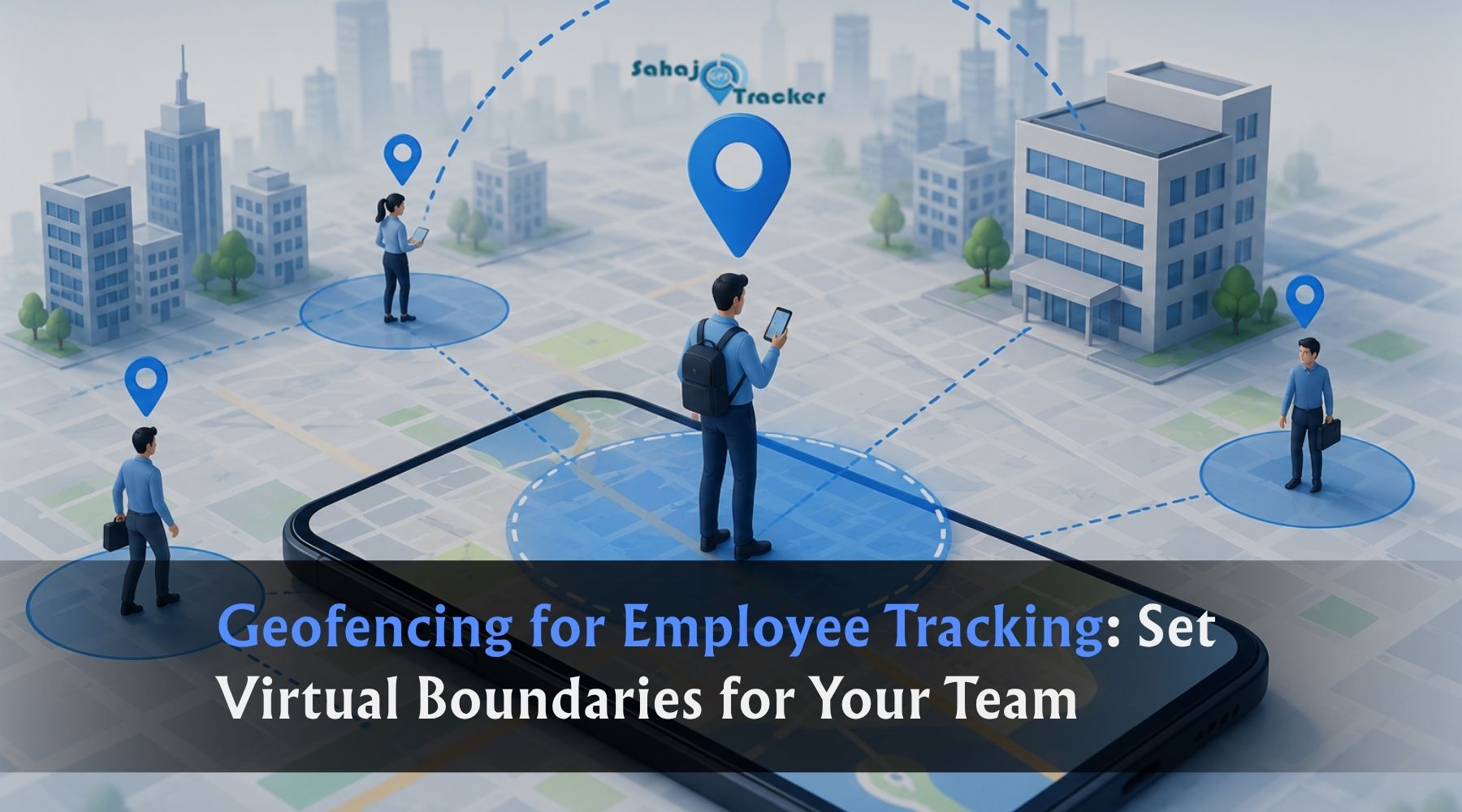
Geofencing for employee tracking is a GPS-based system that creates virtual boundaries -called geofences -around specific locations such as client sites, depots, or work zones. When an employee enters or exits these boundaries, the system automatically records the event, triggers attendance, or sends an alert to the manager. It ensures employees can only mark attendance or complete tasks from approved locations, eliminating fake check-ins, proxy attendance, and unauthorised site visits without any manual verification needed.
Picture this scenario.
Your sales executive sends a WhatsApp at 9:07 AM -“Reached client office, starting meeting.” Your service technician marks attendance as “On-site at Andheri East” at 10:15 AM. Your delivery agent confirms delivery completed at a corporate park in Gurgaon at 2:30 PM.
Every one of these updates is self-reported. Every one of them could be accurate -or could have been sent from a parking lot, a café nearby, or from home entirely. Without an independent verification system, the manager has no reliable way to distinguish between the two.
This is the core problem that geofencing for employee tracking solves. Not through surveillance, not through intrusive monitoring, but through a simple, automatic system that answers one foundational question: is this employee actually where they claim to be?
In 2026, with Indian businesses managing field sales teams across tier-2 cities, service technicians across metro suburbs, and delivery agents across urban corridors -geofencing has become the operational backbone of accountable field workforce management. Here’s how it works, why it matters, and how to implement it properly for your team.
How Geofencing for Employee Tracking Works: The Complete Mechanism
Understanding the technical mechanism helps you set up geofencing correctly and explain it to your team in a way that gets adoption rather than resistance.
Step 1 -Define the virtual boundaries
A geofence is a digital perimeter drawn on a map around a physical location. In a field employee tracking platform, you open the map interface, select a location -a client’s office, a warehouse, a project site, a service zone -and draw a circle or polygon around it with a defined radius.
The radius matters. Too small (under 50 metres) and GPS accuracy variation may prevent genuine employees from checking in. Too large (over 300 metres) and employees in the vicinity -but not actually at the location -can fraudulently mark attendance. For most client offices and work sites in Indian urban environments, a 100 to 150-metre radius is the practical sweet spot.
Step 2 -Assign employees to geofenced locations
Different employees are assigned to different geofences based on their role and territory. A sales executive covering South Mumbai may have 15 client office geofences in their territory. A service technician may have geofences around every site on their weekly schedule. A delivery agent has geofences around each delivery stop on their daily route.
This assignment happens once in the platform and updates automatically when territories or schedules change.
Step 3 -Employee attempts to mark attendance or complete a task
When the employee arrives at a location and opens the tracking app to check in, mark a visit complete, or record attendance -the app checks the employee’s GPS coordinates against the assigned geofence for that location and time.
If the employee’s phone confirms they are within the geofence boundary: the action is permitted. Attendance is marked, the task is logged, the visit is recorded -all with a GPS-verified location stamp and timestamp.
If the employee’s phone confirms they are outside the geofence boundary: the action is blocked. The employee cannot mark attendance from that location until they are physically present within the approved zone.
Step 4 -Manager receives real-time data and alerts
Every geofence entry, exit, and attendance event is logged automatically in the manager’s dashboard. Alerts are configured for specific scenarios -an employee who hasn’t checked in by a scheduled time, a geofence exit during working hours that indicates early departure, an employee who attempts to check in from outside the boundary.
All of this happens without any phone calls, without any manual verification, and without the manager needing to actively monitor a screen.
The 5 Key Benefits of Geofencing for Field Employee Management
Benefit 1: Eliminates Fake Attendance and Proxy Check-Ins Completely
This is the benefit that most Indian businesses implement geofencing for first -and it delivers immediate results.
By anchoring time entries to real locations, geofencing time clocks directly target the two biggest issues in traditional time tracking: inaccurate check-in times and buddy punching.
When attendance can only be marked from within a defined GPS boundary, the mechanics of fake check-ins simply stop working. An employee cannot mark attendance from home because their GPS coordinates are not within the client site boundary. A colleague cannot check in on someone else’s behalf because the physical location requirement can’t be faked.
For Indian field teams managing attendance across dozens of daily client visits -pharma representatives, FMCG distributors, service engineers -this means attendance records finally reflect reality rather than self-reported claims.
Benefit 2: Verifies Client Visits Without a Single Phone Call
For sales managers overseeing 20 to 30 field executives, the question “did they actually visit the client?” is one of the most time-consuming and trust-sensitive management challenges in the role.
With geofencing, the question answers itself automatically. A geofence drawn around a client’s office records entry time, duration, and exit time every single visit. The sales manager’s dashboard shows -for every executive, every day -which client offices were visited, when the executive arrived, and how long the visit lasted.
No phone calls to check. No end-of-day reports to verify against claims. No disputes about whether a visit happened. The geofence record is the source of truth, created automatically at the moment the visit occurred.
This transforms the sales manager’s daily workflow from phone-based verification to data-based review -typically saving 60 to 90 minutes of management time per day while producing significantly more accurate records.
Benefit 3: Creates Automatic Proof of Presence for Compliance and Billing
For industries where client visit documentation is required -pharmaceutical field sales under MCI compliance, service technicians whose work is billed per-site-visit, government contractors whose presence at locations must be documented -geofencing creates an automatic, tamper-proof record that manual reporting cannot match.
The Surat textile distributor with 35 delivery riders found about ₹1,47,000 in monthly payroll leakage after they moved from WhatsApp check-ins to GPS-verified attendance. The owner hadn’t suspected a problem until the numbers showed up on screen.
This pattern is consistent across industries. The gap between what employees report and what GPS-verified geofencing records reveal is almost always significant -and almost always financially material.
Benefit 4: Enables Zone-Based Alerts for Safety and Compliance
Geofencing isn’t only about restricting what employees can do -it also creates proactive alerts when situations require management attention.
Zone entry alerts: Notify managers when employees enter specific high-priority zones -a VIP client’s premises, a restricted area, a site that requires safety compliance protocols.
Zone exit alerts: Flag when employees leave a location earlier than expected -a service call that ended 45 minutes before the scheduled completion time, a client visit that lasted only 8 minutes when the average is 25.
No-entry alerts: Notify managers when an employee hasn’t entered a scheduled zone by a defined time -a delivery that should have started but hasn’t, a service call that’s already running late.
After-hours alerts: Flag any employee presence in work zones outside scheduled hours -for security, for overtime management, or for identifying unauthorised activity.
Each of these alert types gives managers the information they need to act in real time -not after the working day is over.
Benefit 5: Builds Fair, Objective Accountability Across the Team
This benefit is the one that employees who are genuinely performing their work appreciate most -and it’s often overlooked in discussions about monitoring.
When attendance, visit records, and task completion are all verified by GPS geofencing rather than manager discretion, the playing field becomes genuinely level. The sales executive who visits all 12 of her assigned clients every day has documented proof of her effort. The service technician who arrives on time and stays for the full duration of every job has a verifiable record. Their performance is measured by what the GPS data shows -not by how much they’re liked, not by how confident they sound in a team meeting.
At the same time, employees who have been padding their attendance or visit counts find that the new system reveals the gap between their claims and their actual activity. In most cases, behaviour adjusts quickly -not because of confrontation, but because the geofencing removes the conditions that made inflation easy.
The result is a team where accountability is structural rather than personal -and where the best performers are clearly identifiable from the data.
Setting Up Geofencing for Different Types of Field Teams
The practical implementation varies by team type. Here’s how geofencing should be configured for the most common field workforce categories in India:
For Field Sales Teams (FMCG, Pharma, B2B Sales)
Geofence type: Client office boundaries Recommended radius: 100–150 metres around each client’s registered address Key alerts: Entry confirmation, duration below minimum threshold (flagging rushed visits), no-entry by scheduled time What it catches: Phantom visits (marked but never attended), drive-by claims (brief entry and immediate exit counted as a visit), territory deviations
Sales managers can set precise virtual geofences around client offices -field staff must be physically present within these coordinates to mark attendance via the tracking app. Combined with AI-driven selfie verification, it completely eradicates proxy attendance and location spoofing.
For Service and Maintenance Technicians
Geofence type: Customer site boundaries + service depot Recommended radius: 75–100 metres (tighter for urban locations, 150 metres for suburban) Key alerts: Arrival time vs. appointment time, departure time vs. job completion, return to depot confirmation What it catches: Late arrivals not reported, early departure before job is complete, technicians taking jobs off the official roster
For Delivery Agents and Couriers
Geofence type: Each delivery address + depot/hub Recommended radius: 50–100 metres for urban residential, 100–200 metres for commercial complexes Key alerts: Failed delivery approach (agent doesn’t reach within expected time), unscheduled stop beyond threshold, hub departure confirmation What it catches: Mark-as-delivered without reaching location, unscheduled personal stops during route, hub departure delays inflating claimed travel time
For Construction and Site Staff
Geofence type: Project site perimeter Recommended radius: 200–500 metres depending on site size Key alerts: Site entry/exit with time stamp, after-hours site access (security), absence from site during scheduled shift What it catches: Workers marking attendance for absent colleagues, early departures, unauthorised access during non-working hours
Common Geofencing Implementation Mistakes -and How to Avoid Them
Mistake 1: Setting geofence radius too small GPS accuracy on smartphones varies between 3 and 15 metres depending on conditions. In urban areas with tall buildings, accuracy can degrade further. A geofence radius below 50 metres will regularly block genuine employees from checking in. Start with 100 metres and adjust based on real-world performance at each specific location.
Mistake 2: Launching without communicating to the team Modern GPS-based attendance tracking focuses on verification at check-in and team-level insights. Tools like geofencing automate the process, reducing manual oversight and supporting employee attendance tracking without micromanaging. However, this requires transparent communication before launch.
Employees who understand what geofencing tracks, why it’s been implemented, and how it affects their daily workflow adopt it without resentment. Employees who discover it without explanation interpret it as covert surveillance -and react accordingly.
Mistake 3: Not testing geofences before go-live Visit each major client location, depot, and work site and test the check-in process yourself before rolling out to the team. Identify locations where GPS accuracy is problematic -typically underground car parks, basements, or locations surrounded by tall structures -and adjust radius or flag for manual override where needed.
Mistake 4: Creating too many alerts without prioritisation Alert fatigue is a real risk. If managers receive 40 geofence alerts per day across a team of 20 employees, most alerts go unreviewed. Prioritise alerts for genuinely important events -no entry by a defined time, duration anomalies -and set lower-priority events as data for weekly review rather than immediate notification.
Mistake 5: Using geofencing as the only accountability tool Geofencing tells you where employees are and when. It doesn’t tell you what they did when they got there. Combine geofencing with task management -assigned visits with completion forms and proof of work -to get the complete picture of both presence and productivity.
Geofencing + Face Recognition: The Complete Verification Layer
In 2026, the most robust field employee attendance systems combine geofencing with face recognition for a two-factor verification that addresses both location fraud and identity fraud simultaneously.
Geofencing alone prevents employees from checking in from wrong locations but doesn’t prevent a colleague from using someone else’s device to check in from the right location.
Face recognition alone verifies identity but doesn’t confirm location -an employee can take a selfie from home.
Geofencing + face recognition together requires both the right person and the right place. The employee must be within the geofenced boundary AND the selfie must match the registered face. Neither condition alone is sufficient.
Truein distinguishes itself with advanced AI face recognition combined with GPS geofencing capabilities, making it a strong contender for preventing buddy punching among distributed teams. For Indian field teams where both types of attendance fraud are documented problems, this combination is the practical standard in 2026.
How Sahaj GPS Implements Geofencing for Field Employee Tracking
Sahaj GPS field employee tracking software combines geo-fenced attendance, face recognition check-in, and real-time task management in a single platform -built for the specific operational realities of Indian field teams.
The platform allows managers to:
- Create unlimited geofences of any shape and radius around client offices, depots, project sites, and service locations -from the web dashboard or mobile app
- Assign geofences to specific employees or teams with different rules for different locations
- Configure custom alerts for entry, exit, duration anomalies, after-hours movement, and scheduled visit miss
- View live geofence activity across the entire field team on a single map
- Access complete geofence history -every entry, every exit, every attendance event -for any employee, any date range, in seconds
- Generate automated reports on field presence, visit duration, and geofence compliance without manual data compilation
Offline functionality ensures geofence events are recorded and synced even when field employees are in low-connectivity areas -a critical requirement for teams operating in semi-urban corridors, basement offices, or areas with inconsistent coverage across India.
Tell us your field team size, the types of locations your employees visit, and what you’re currently using for attendance verification. We’ll show you exactly how geofencing works for your specific operation -and what the first week of live data typically reveals.
Quick Reference: Geofencing for Employee Tracking at a Glance
| Feature | What It Does | Business Impact |
| Location-verified attendance | Employees check in only from within defined boundaries | Eliminates fake and proxy attendance |
| Client visit verification | Entry/exit timestamps at every client location | Eliminates phantom visit claims |
| Zone duration monitoring | Time spent at each location automatically recorded | Identifies rushed or incomplete visits |
| After-hours alerts | Flags employee presence outside approved hours | Security and overtime control |
| No-entry alerts | Notifies when expected employee hasn’t arrived | Proactive management of delays |
| Face recognition + geofence | Two-factor identity + location verification | Prevents both buddy punching and location spoofing |
| Offline sync | Records events when connectivity is poor | Reliable tracking in any Indian location |
| Automated reporting | Daily/weekly geofence activity reports without manual work | Manager time savings -60–90 min/day |
Frequently Asked Questions
Q1. Can employees bypass or spoof a geofence on their phone?
Modern geofencing systems can detect common GPS spoofing methods, such as mock location apps and VPN-based location manipulation. Suspicious check-ins are flagged for review. When combined with face recognition, attendance fraud becomes much harder as both location and identity must match.
Q2. What is the ideal geofence radius for client offices in Indian cities?
A radius of 100–150 metres works well for most urban locations. In areas with high-rise buildings or weak GPS signals, 150–200 metres provides better accuracy. Testing each location before deployment is recommended.
Q3. Does geofencing work without a stable internet connection?
Yes. Most modern field tracking apps store geofence events offline and automatically sync them once the internet is restored. This ensures attendance and check-in records are not lost.
Q4. How many geofences can be created for a field team?
Most modern geofencing platforms support hundreds of geofences without practical limits. Each location can have its own radius, assigned employees, and alert settings, with bulk creation available for faster setup.
Q5. Is geofencing employee tracking legal in India?
Yes. Geofencing for attendance and field tracking is legal when employees are informed and monitoring is limited to work-related activities. Clear policies, transparency, and employee consent help ensure compliance and trust.