
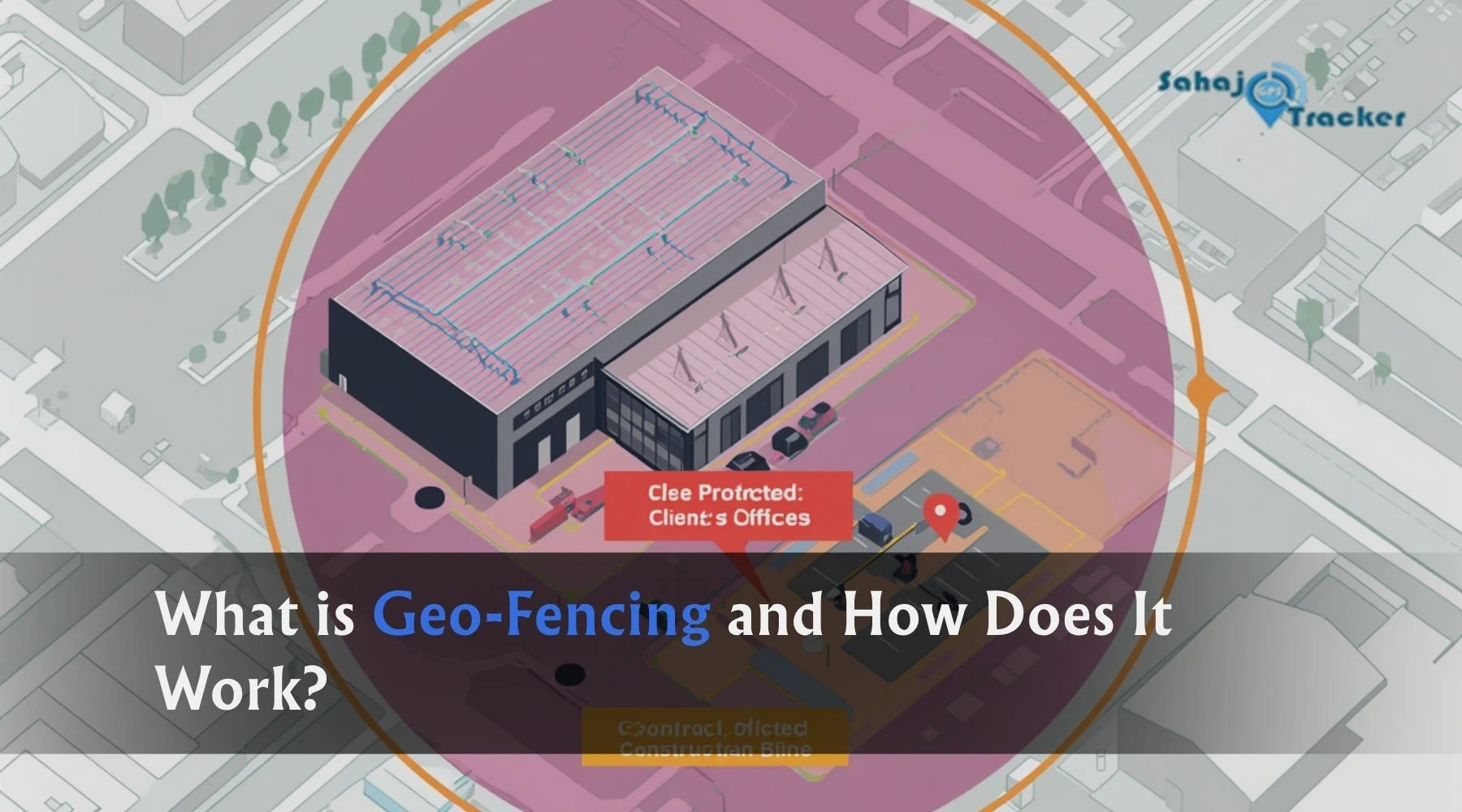
Imagine drawing a circle on a map around your warehouse, your client’s office, or a restricted construction site — and then getting a message on your phone the instant any of your vehicles or employees cross that boundary.
No calls. No manual checking. No guesswork. Just an automatic, real-time alert the moment something moves where it shouldn’t — or doesn’t move where it should.
That’s geo-fencing. And while it sounds like something out of a science fiction film, it’s one of the most practical, most widely used features in GPS tracking today. Thousands of Indian businesses are already using it to protect assets, manage field teams, eliminate unauthorized vehicle usage, and build a layer of automatic accountability into their daily operations.
If you’ve heard the term but never quite understood what it means, how it actually works, or whether it’s relevant to your business — this guide is for you. We’re going to break it down completely, without the technical jargon.
What Exactly Is Geo-Fencing?
A geo-fence is a virtual boundary drawn around a real-world geographical area on a digital map.
Think of it like an invisible fence — but instead of keeping dogs in a yard, it monitors vehicles, assets, or people moving in and out of a defined area. The “fence” exists only in software. There’s no physical barrier. But the moment a GPS-enabled vehicle or device crosses that boundary — entering or exiting — the system detects it and triggers a pre-set action, usually an alert sent directly to a manager’s phone or dashboard.
The area inside a geo-fence can be any shape or size:
- A circle drawn around a specific location — your depot, a client site, a petrol pump
- A polygon following the exact outline of a property — a construction site, a port, a delivery zone
- A corridor along a specific route — a highway stretch, a delivery lane, a restricted road
The size can range from a few hundred metres to cover an entire city, district, or state — depending on what you’re trying to monitor.
The key is that it’s fully customisable to match exactly what your business needs to track and protect.
How Does Geo-Fencing Actually Work? The Technology Behind It
Geo-fencing works by combining three things: a GPS device, a software platform, and the boundaries you define on a map.
Here’s the step-by-step process:
Step 1 — The GPS Device Tracks Location Every vehicle or asset being monitored carries a GPS tracking device. This device continuously receives signals from satellites and calculates the precise location of the vehicle or asset — latitude, longitude, speed, direction — and transmits this data to the tracking platform at regular intervals (typically every 10 to 30 seconds).
Step 2 — You Define the Geo-Fence Inside the GPS tracking software, you open the map, select an area, and draw your virtual boundary. You give it a name — “Main Depot,” “Client Site A,” “Restricted Zone,” “City Delivery Area” — and set the rules: alert me when a vehicle enters this zone, exits this zone, or both.
Step 3 — The System Watches the Boundary Continuously The platform continuously compares the real-time location of every tracked vehicle against the boundaries of every geo-fence you’ve set up. This comparison happens automatically, in the background, 24 hours a day, 7 days a week.
Step 4 — The Boundary Is Crossed — Alert Fires Immediately The moment a vehicle’s GPS coordinates cross your defined boundary — entering or exiting — the system detects the event. Within seconds, an alert is generated and delivered. Depending on your settings, this alert could arrive as an SMS to your phone, a push notification in the tracking app, an email, or an on-screen alert in the dashboard.
Step 5 — You Act on the Information You see the alert with the vehicle name, the geo-fence it crossed, the direction (entry or exit), the exact time, and the vehicle’s location. You now have the information to make a decision — investigate, contact the driver, or simply note it in the record.
The entire process from boundary crossing to alert delivery typically takes less than 60 seconds. In most cases, it’s much faster.
What Technologies Power Geo-Fencing?
The most common and accurate technology behind geo-fencing for fleet and vehicle tracking is GPS (Global Positioning System) — satellites in orbit that allow a device to calculate its position anywhere on Earth with metre-level accuracy.
For indoor environments where GPS signals are weak, geo-fencing can also use:
- Wi-Fi positioning — using nearby Wi-Fi networks to estimate location inside buildings
- Bluetooth Low Energy (BLE) beacons — short-range positioning for warehouses, hospitals, and factories
- RFID — radio tags used for asset identification at specific checkpoints
- Cellular network data — less accurate but useful as a fallback in areas with poor satellite signal
For outdoor vehicle tracking and field employee monitoring — which covers the vast majority of Indian business use cases — GPS-based geo-fencing is the standard, and it works reliably across highways, cities, remote areas, and everything in between.
8 Practical Ways Businesses Use Geo-Fencing Every Day
1. Preventing Unauthorized Vehicle Usage
This is one of the most common and immediately valuable applications. Fleet vehicles used after working hours, on weekends, or in areas they have no business being — this is a widespread problem that costs Indian fleet owners significant money in unauthorized fuel use, vehicle wear, and liability exposure.
A geo-fence drawn around your depot or parking area — with an alert set for any vehicle exit between 9 PM and 6 AM — tells you immediately when a vehicle leaves outside working hours. You didn’t need to check. You didn’t need to call anyone. The system told you.
2. Monitoring Route Adherence
Long-haul trucks, delivery vehicles, and service vehicles are supposed to follow approved routes. When they deviate — to make unauthorized stops, to take detours that add distance and time, or to visit locations that have nothing to do with the job — it costs fuel, delays deliveries, and creates liability.
A corridor geo-fence along the approved route flags any significant deviation from the planned path. The manager knows about it within minutes, not at the end of the day when the damage is already done.
3. Geo-Fenced Attendance for Field Employees
Field staff who mark attendance from home, from the parking lot, or from anywhere other than their actual work location — this problem is rampant in Indian businesses managing sales teams, service technicians, and delivery agents.
With geo-fenced attendance, an employee can only check in once their phone confirms they are physically within the approved location zone. No exceptions, no overrides. Attendance becomes location-verified automatically.
4. Alerts When Vehicles Enter Restricted Zones
Certain zones are off-limits for specific vehicles — restricted port areas, government security zones, competitor premises, or areas where your vehicle fleet has no operational reason to be. A geo-fence around these areas alerts you the moment any vehicle enters, giving you the information to investigate and respond.
5. Automatic Notifications for Client Arrival and Departure
For service businesses, logistics companies, and delivery operations — knowing exactly when a vehicle arrived at a client location and when it left is valuable data. Geo-fences around client sites generate automatic entry and exit timestamps for every visit, creating a precise record of service calls, deliveries, and site visits without requiring manual logs or driver check-ins.
This also helps with invoicing disputes. When a client claims a technician arrived late or left early, the geo-fence log has the exact timestamps.
6. School Bus and Passenger Vehicle Safety
Parents want to know when the school bus leaves the school, when it enters their neighbourhood, and when it’s approaching the bus stop. Geo-fences around the school campus, key route zones, and stop locations can trigger automatic parent notifications at each stage — without anyone needing to manually update an app or make a call.
7. Protecting High-Value Assets and Equipment
Construction equipment, generators, trailers, and expensive machinery parked at remote job sites are vulnerable to theft, especially overnight. A geo-fence around the site with alerts for any movement outside the defined area — particularly during non-working hours — creates an automatic theft-detection layer without needing an on-site guard.
8. Managing Multiple Depots and Delivery Zones
For businesses operating across multiple cities or regions, geo-fences around each depot, warehouse, or delivery zone create a structured operational picture. Managers can see at a glance which vehicles are in which zones, whether vehicles from one zone have crossed into another incorrectly, and how long each vehicle spent within each defined area.
Types of Geo-Fence Alerts You Can Set Up
Modern GPS tracking platforms allow you to configure different types of geo-fence alerts depending on what you want to monitor:
| Alert Type | Trigger | Common Use Case |
| Entry Alert | Vehicle enters the zone | Client arrival confirmation, restricted zone breach |
| Exit Alert | Vehicle leaves the zone | Depot departure, delivery zone exit |
| Entry + Exit Alert | Both events | Complete visit record for client sites |
| Idle Inside Zone | Vehicle stationary inside zone beyond set time | Delivery delays, driver taking extended breaks |
| Outside Working Hours | Any movement during non-working times | Unauthorized usage detection |
| Speed Inside Zone | Vehicle exceeding speed limit within geo-fence | School zones, depot yards, residential areas |
| No Entry Alert | Vehicle hasn’t entered a zone by a set time | Missed client visits, delayed deliveries |
The flexibility to combine these alert types across dozens or hundreds of simultaneously active geo-fences is what makes the technology so powerful for complex fleet operations.
Geo-Fencing vs. Standard GPS Tracking: What’s the Difference?
A common question from businesses evaluating tracking systems is whether geo-fencing is something separate from standard GPS tracking — or part of the same system.
The answer: geo-fencing is a feature built on top of GPS tracking. You need GPS tracking as the foundation, and geo-fencing is what makes that tracking proactive rather than passive.
| Standard GPS Tracking | GPS Tracking + Geo-Fencing | |
| What you get | Live location of vehicles on a map | Live location + automatic boundary alerts |
| Monitoring style | You watch the map and notice things | System watches boundaries and tells you |
| Response time | As fast as you’re looking at the screen | Immediate — alert comes to you |
| Unauthorized usage | Spotted only if you’re checking the map | Automatic alert when it happens |
| Route deviation | Visible only in history playback | Instant alert during the journey |
| Effort required | Active monitoring needed | Passive — system alerts you when needed |
Standard GPS tracking shows you where your vehicles are. Geo-fencing tells you when something matters without requiring you to watch the screen constantly.
For any business managing more than a handful of vehicles or field employees, geo-fencing is what makes fleet tracking genuinely manageable at scale.
What Can You Geo-Fence? More Than You Might Think
Most people associate geo-fencing with vehicles, but the same technology applies to anything that carries a GPS device:
Vehicles — trucks, cars, bikes, buses, construction equipment, reefer vehicles, tankers
Field employees — sales teams, service technicians, delivery agents, healthcare workers, survey staff — monitored via a mobile app with GPS enabled
Assets — generators, trailers, high-value machinery, containers, portable equipment
School buses — live route monitoring with parent notifications at each geo-fence crossing
Indoor spaces — warehouses, factories, hospitals — using BLE or Wi-Fi-based geo-fencing for indoor zones
The common thread is a GPS device (or a smartphone with a tracking app) that continuously reports its location to a platform that watches your defined boundaries.
How Geo-Fencing Saves Businesses Real Money
Let’s move from theory to numbers, because the business case for geo-fencing is genuinely compelling.
Fuel savings from unauthorized usage prevention: A vehicle used after hours for 2 hours consumes roughly 8 to 15 litres of diesel. Across a fleet of 20 vehicles, even occasional unauthorized use adds up to thousands of litres annually — and lakhs in fuel cost. Geo-fenced after-hours alerts stop this cold.
Reduced idle time: Idle time alerts within geo-fenced zones — at depots, client sites, or parking areas — help identify vehicles sitting with engines running unnecessarily. Even a 10-minute reduction per vehicle per day saves significant fuel across a large fleet.
Eliminated fake attendance and phantom visits: For field teams, geo-fenced check-ins prevent the fake attendance that inflates payroll and the phantom client visits that inflate travel claims. The saving varies by team size but is consistently significant in the first month of implementation.
Faster client service verification: Automatic entry and exit timestamps at client sites eliminate the manual logging that wastes operations managers’ time and create reliable proof of service for billing and dispute purposes.
Theft prevention: For construction and infrastructure businesses, geo-fenced alerts on equipment movement — especially outside working hours — have directly prevented theft events where equipment was being moved off-site without authorization.
Setting Up Geo-Fencing with Sahaj GPS
Sahaj GPS includes geo-fencing as a core feature across its vehicle tracking and field employee tracking platforms — not as an add-on, not as a premium tier, but as a standard capability available to every fleet manager using the system.
Through the Sahaj GPS dashboard, you can:
- Draw unlimited geo-fences of any shape or size on a live map
- Set individual alert rules for each geo-fence — entry, exit, idle time, after-hours movement
- Assign specific geo-fences to specific vehicles, groups of vehicles, or your entire fleet
- Receive alerts via SMS, app notification, or email — configured per your preference
- Access a complete log of all geo-fence events — every entry, exit, and alert — for any time period
- Generate reports showing geo-fence activity by vehicle, by zone, or by date range
Setup takes minutes. Monitoring starts immediately. And the alerts that matter come to you — so you’re managing your fleet proactively instead of reacting to problems after they’ve already cost you money.
Ready to Put Invisible Boundaries to Work for Your Business?
Geo-fencing is one of those features that business owners often say they wish they’d set up sooner — because once it’s running, it catches things that were always happening but were completely invisible before.
Whether you want to stop unauthorized vehicle usage, verify field employee attendance, monitor route adherence, or protect assets at remote sites — geo-fencing is the layer of automatic accountability that makes it all possible.
See How Geo-Fencing Works for Field Employee Tracking →
Book a free demo and watch geo-fencing in action on a live map with your own locations. Most businesses have their first geo-fence set up and running within the first session.
Frequently Asked Questions
Q1. How many geo-fences can I create on a GPS tracking platform?
Most modern platforms, including Sahaj GPS, allow you to create unlimited geo-fences simultaneously. You can have different zones for depots, client sites, restricted areas, and delivery zones all active at the same time, each with its own alert settings.
Q2. Can geo-fencing work in rural areas or on highways where network connectivity is poor?
Yes. The GPS device tracks location based on satellite signals, not mobile data. Location data is stored on the device during connectivity gaps and synced to the platform when the connection is restored. Alert delivery may be delayed slightly in very low-connectivity areas, but location records are never lost.
Q3. Is geo-fencing accurate enough to monitor a small area like a single building or client office?
Modern GPS geo-fencing is accurate to within 3 to 10 metres in open environments, which is precise enough to reliably detect entry and exit from most buildings and client premises. For very small indoor zones, Bluetooth or Wi-Fi-based indoor tracking offers even finer accuracy.
Q4. Can I receive geo-fence alerts on my mobile phone while I’m away from the office?
Yes — geo-fence alerts are delivered via SMS and mobile app notifications, so you receive them on your phone wherever you are. You don’t need to be watching a dashboard for the alerts to reach you.
Q5. Can geo-fencing be used for both vehicles and field employees on the same platform?
Yes. The same geo-fencing infrastructure that monitors vehicles can monitor field employees through a mobile tracking app. Both appear on the same dashboard, and geo-fence alerts can be configured independently for vehicles and employee teams.